



Microsoft’s Power Query
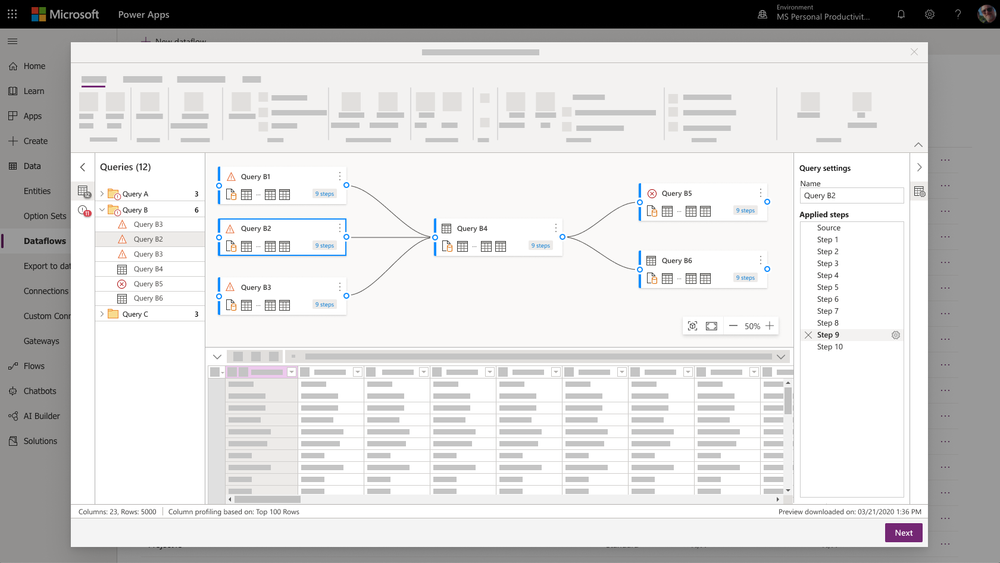
By leveraging an AI-enhanced engine, the system offers contextual suggestions for resolving errors, streamlining troubleshooting. I also ensured that notifications can be customized, allowing users to set preferences for alert types and frequencies based on their workflows.
User testing was essential. Feedback led to continuous improvements in the clarity and relevance of notifications. This system empowers users with faster problem resolution and complements the sophisticated capabilities of Dynamics 365 and Microsoft Word, enhancing overall user satisfaction.
In designing the error notification system within Power Query, I aimed to create a user-friendly experience that enhances productivity and minimizes frustration for users of Dynamics 365 and Microsoft Word.
Power Query serves as a vital conduit for users to import their personal data into the Azure Data Lake, making accurate data transformation crucial. My approach began with analyzing common user errors, prioritizing frequent issues encountered during this critical data process. I designed a layered notification system, featuring real-time alerts that are both informative and actionable.